“Urchin Tracking Modules”, are snippets of code added to the end of a URL to track digital marketing campaign performance. A UTM helps to identify exactly where traffic originates.
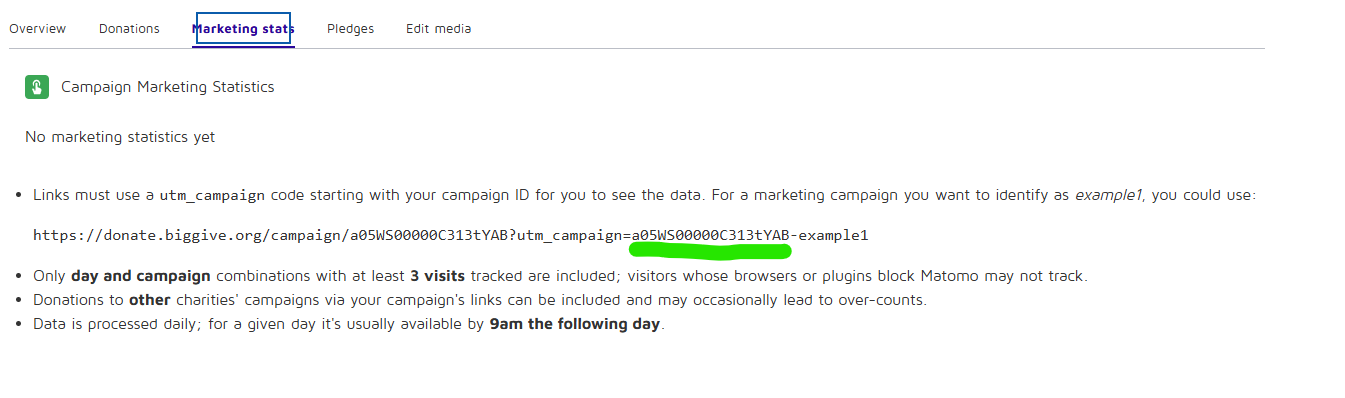
1. Identify your 18 digit campaign ID: You can find this in the ‘marketing stats’ area of your campaign dashboard OR find it via your campaign page.
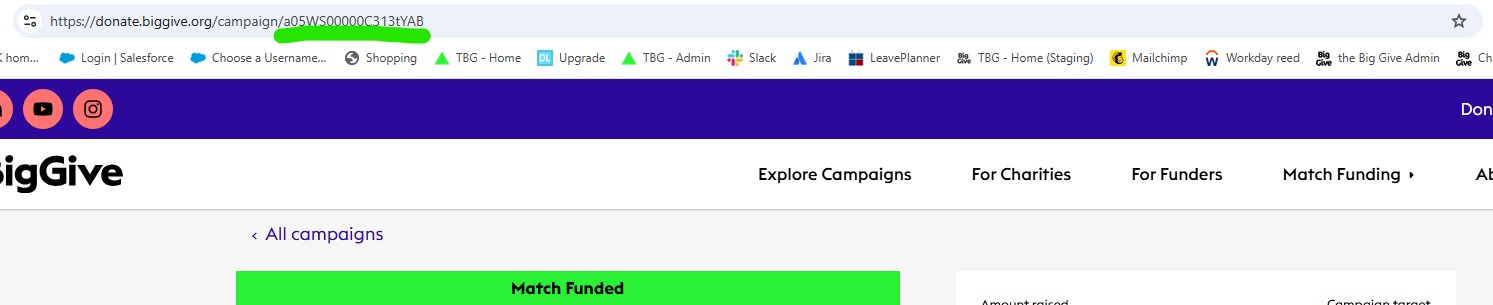
The campaign ID (underlined in green in the image above and below) must be included in your UTM, otherwise, we’re not able to track your results.
2. Create your UTM: You can use sites like bit.ly to add a UTM to a link. On bit.ly, you just add in your campaign page link and select ‘add UTM parameters’.
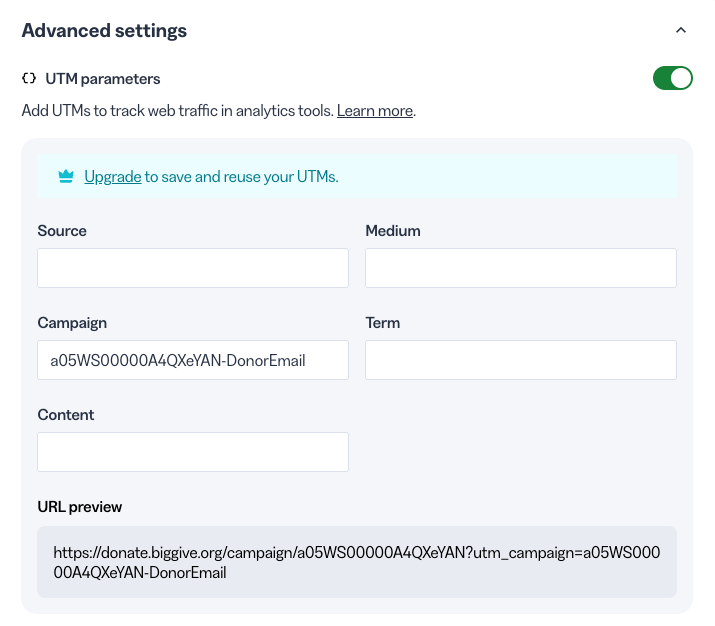
You must include your 18-digit campaign ID first, before any other unique identifier, in the ‘campaign’ field. In the same campaign field add your unique identifier. This should be based on where the link is being used, e.g. social media, email, facebook ads, etc. In the example above we have labeled the unique identified ‘DonorEmail’.
3. Start tracking your campaign: Data will be populated in the ‘Marketing stats’ tab in your campaign dashboard. Note: only links with at least 3 visits will show.

Data is processed daily, by around 9am, covering the previous day.