You can set up a monthly donation to any participating charity using a credit or debit card. Donations are securely processed via Stripe, and match funds are reserved as soon as you sign up – so your impact is doubled right from the start.
It’s quick and easy to apply, just follow our three steps. Once approved, you can manage your campaign from your Big Give dashboard, just like any other campaign, including customising your campaign page with a banner and tracking donations in real-time.

Log in to your Big Give account and navigate to ‘Big Give Campaigns’

Click ‘Apply Now’ for the Regular Giving Campaign

Review and amend the pre-populated Charity Summary and submit
Want to make a lasting impact? Regular Giving is launching soon.
Supporting a charity regularly is one of the most effective ways a donor can make a meaningful impact. We’ve made the process easy and transparent. You can follow our videos and detailed instructions below to support your donors in setting up their monthly gifts.
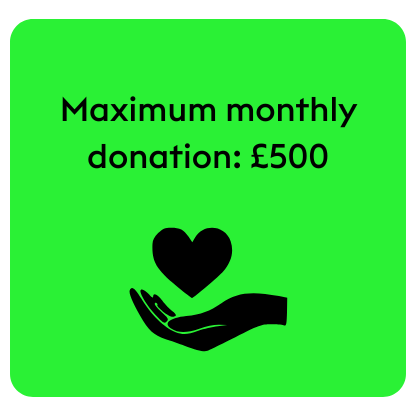
The form will ask for the monthly donation amount (max £500), confirmation that the donor is over 18, Gift Aid questions, card payment details and communication preferences.
Once submitted, the first donation is processed immediately, and the donor will also see the matched amount, alongside a confirmation with a summary of the donation.
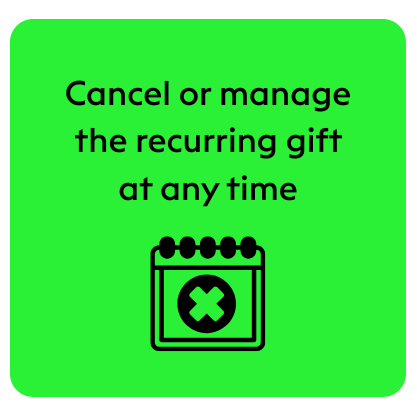
Need to pause or stop donations? No problem – everything can be managed in the donor’s account under ‘My Account > Your Regular Giving’.
Yes, if you declare your regular giving donation as eligible for Gift Aid, then Gift Aid will be applied for all of your monthly donations.
When you set up a regular gift to a charity, it is with the understanding that the donation will be taken each month until you cancel the mandate. Charities are very grateful for regular gifts as this source of funding is more sustainable than ad hoc donations.
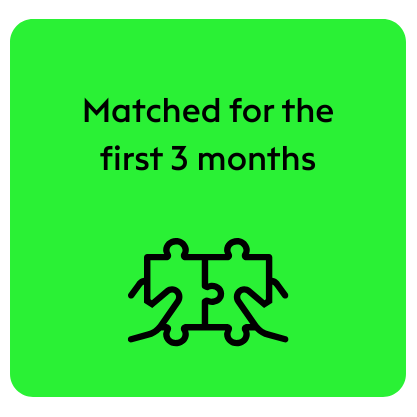
Your regular giving donation will be matched for the first 3 months. Donations will still be taken after the first 3 months, but they will not be matched.
Partial matching is not possible with regular donations. For example, if only £300 of match funds are available and you want to make a monthly donation of £150, then you will be asked to either reduce your monthly donation to a maximum of £100/month or set up a unmatched regular gift.
The first donation is always taken immediately, and subsequent ones on the same day of the month, e.g. if you make your first donation on the 15th of June, subsequent donations will be taken on the 15th of every month. If you make your donation on the 29th, 30th, or 31st of the month, then all subsequent donations will be taken on the 28th.
At the moment, we only accept donations made via debit or credit card for regular giving donations.
The minimum donation amount for regular giving donations is £1, and the maximum amount is £500.
Yes, you can set up different regular gifts to other charities. You can only set up one regular gift per charity.
Yes, you will first need to create a donor account with Big Give to make a regular giving donation. An account takes no time to set up and will allow you to manage your regular giving donations quickly and easily.
To cancel your regular giving donation:
- Log in to your Big Give donor account
- Click on Your Regular Giving
- Click on View Mandate
- Scroll to the bottom of the page and click on ‘Cancel my regular donations’
- On the following page, enter a reason for cancelling your donations and click on ‘Submit’
Please contact hello@biggive.org with your donation reference number if you would like a refund on your regular giving donation. We can only issue refunds up to a maximum of 7 days after the donation has been made.
When you first set up your regular gift through Big Give, you will receive a confirmation email, which provides all of the details of your monthly donations. Further donations are viewable in the Your Donations page of your Donor Account.
If your card expires while you have an open regular giving mandate you will need to update your payment method with us. To do this:
- Log in to your Big Give donor account
- Click on Your Payment Methods
- Click on Change regular giving payment method
- Update your payment details
If your payment methods are not updated when your card expires, we will not be able to take a payment from you
To remove your regular giving payment method, you will first need to cancel your regular giving mandate:
- Log in to your Big Give donor account
- Click on Your Regular Giving
- Click on View Mandate
Once you have cancelled your mandate, return to your Big Give Donor Account homepage and:
- Click on Your Payment Methods
- Click on Remove regular giving payment method
Can’t find the answer you’re looking for?